
What A Great Salon Website Needs to do
Starting a salon website can feel overwhelming fast. Do you need a portfolio? What about bios, does every stylist need their own, or should you focus on the salon as a whole? Where does booking even fit in?
As an award-winning web designer who also happened to be an award-winning hair stylist in my early twenties, I have a bit of a unique perspective on this. Salon and stylist websites follow a different set of rules than most small business sites, because the way clients choose a stylist is fundamentally different from how they choose, say, an accountant or a lawyer. They're hiring based on what they see, who they connect with, and how easy you make it to book.
So let's get into what your salon website actually needs to bring in more clients, and more importantly, the right clients.
In my professional opinion, there are four non-negotiables, in order of importance:
A portfolio to showcase your work
A team page with individual stylist bios (or a personal bio if you're a solo stylist)
A clear, frictionless way to book online
A service menu that communicates your expertise, not just a price list
If you want to take things further, I'd strongly recommend adding an online shop. You don't need to offer shipping. A local pickup option is enough to attract clients in your area who are already searching for the products you carry. I've personally found salons in my own city that I never knew existed just by searching for Kevin Murphy products online. That's a real missed opportunity for any salon that isn't selling retail through their site.

Free Squarespace Templates Vs. Premium
Now that you know what to include, the next decision is whether a free Squarespace template will do the job or whether a premium salon-specific template is worth the investment.
Let me be clear about something first: you can absolutely build a great salon website with a free Squarespace template. It will just take significantly more time. So the real question is whether the benefits of going premium are worth the extra cost for you right now.
Free Squarespace templates are widely available, which means thousands of other sites are using the same starting point. Getting one to feel genuinely bespoke takes real effort. As good as Squarespace is, there are almost always areas that need custom coding to feel fully polished, things like mobile and tablet layout tweaks, keeping fonts consistent across the whole site, and fixing the small spacing issues that make a site feel unfinished. It's worth asking yourself honestly whether that time is better spent on the parts of your business you actually love. Like trying out a new foiling technique on your co-worker and turning it into a mini portfolio shoot.
So what do you actually get with a premium template? Here's where it gets interesting.
A distinct visual identity. Premium third-party templates come with custom coded design elements and bespoke page layouts you won't find on any standard Squarespace site. It's a way to get the benefits of working with an award-winning UI/UX designer at a fraction of the cost of a fully custom build.
No more staring at a blank page. Premium templates take the guesswork out of what pages and sections your site needs. My templates go one step further with a guided content framework that tells you exactly what to put where, so you're filling in a thoughtful structure rather than inventing one from scratch.
Easy to make your own. Swap in your brand colors, fonts, and images and the template shifts to reflect your personality and aesthetic. The structure is done. The personality is yours.
The real tradeoff is cost versus hours. Customizing a free template is absolutely the right call for some newer business owners. But if your visual identity matters to you and you want a site that looks like it was designed with intention, a premium template is the stronger starting point.
What to look for in a Squarespace Template before you buy
Whether you've settled on a free or premium template, there are a few things worth checking before you commit to one. Here's what to look for.
Is it built on Squarespace 7.1 Fluid Engine? As a designer, this one is non-negotiable for me. Templates built on the older 7.0 editor are missing features like sticky elements, proper mobile formatting options, and the more intuitive drag-and-drop editor that makes customizing your site so much easier. If a template doesn't specify 7.1, move on.
Does it have a portfolio or gallery section? Your portfolio is one of your most powerful tools for attracting the clients you actually want to work with and quietly filtering out the ones you don't. Use it to showcase the work you love doing and build trust with new clients before they've ever set foot in your salon.
Can you add a shop without breaking the layout? You can technically add a shop to any Squarespace site, but due to some built-in limitations it doesn't always blend seamlessly with the rest of the design. If a template doesn't specifically advertise a designed shop section, be prepared to spend time in the code getting it to match. Look for templates that have thought this through from the start.
Is booking easy to find from every page? The goal is to make booking as frictionless as possible for both new and returning clients. Look for a book now link in the header navigation and clear calls to action placed naturally throughout the site, so clients can take action the moment they're ready without having to hunt for the button.
Does it include guided content prompts? Writing the content for your website is often the hardest part of the whole process. A good template either includes guided prompts that tell you what to write in each section, or sample text that makes the content structure clear. If a template just drops placeholder text with no direction, you're back to staring at a blank page.
Does it look great on every device? Clients find you on phones, tablets, and desktops, so the design needs to hold up across all of them. Before you buy, pull up the demo site on your phone and check that the mobile layout is as refined as the desktop version. A polished desktop site that falls apart on mobile will cost you bookings.
Does it include a branded mobile info page? A mobile info page is a page you can link directly from your social media bio. It gives visitors a clean, on-brand starting point with links to your site and any other pages you want them to reach. Having one means clients get a consistent experience from the very first click, rather than landing on a generic link-in-bio tool that doesn't match your brand at all.
Does it have a styled blog? A blog is a genuinely useful tool for salons and stylists. Staff updates, product features, tutorials and seasonal looks are all great ways to drive organic traffic to your site while giving existing clients something worth coming back for. Just make sure the blog design matches the rest of the site so the overall experience feels cohesive.
Does it have an about page and individual stylist bio pages? Clients want to feel a connection before they book, and they want to know they're on the same wavelength as the person who will be working on their hair. A great about page introduces the salon and the team as a whole, while separate stylist bio pages give each person the space to show what makes them unique. Think specialty services, a bit of their work, what inspires them, their favorite products. It's one of the highest-converting pages on a multi-stylist salon site and it's worth making sure your template has room for it.
Does it have dedicated sales pages alongside a service menu? A service menu is standard on most salon sites, but dedicated sales pages for your most popular or highest priced services take things a step further. Color services and extensions especially benefit from this. Clients considering these services often have questions before they're ready to book. How long does it take? Why does the price vary? What's actually included? A dedicated sales page walks them through all of it, explains the differences between options, and helps them arrive at their appointment already confident in what they're getting. It removes the hesitation that often stands between a client browsing your site and actually hitting book.
Does it include space for client testimonials? Social proof is one of the most powerful motivators for new clients and for existing clients who are considering trying something new. A well-placed testimonial can do more convincing than any amount of copy you write about yourself. Make sure the template has a styled section for reviews that feels like a natural part of the design, not an afterthought bolted on at the bottom of the page.
Every item in this checklist informed how I designed my salon templates. I wanted to build something that had all of it, designed in a way that actually stands out rather than just checking boxes.
A bit of context on why I started making templates at all. My pricing for a fully custom website starts at $8,000, which I know isn't accessible for a lot of small business owners, especially those just starting out. I started designing premium Squarespace templates so that more people could have the benefits of working with a CSSDA award-winning designer at a price point that actually works for them. A well-designed website gives you instant credibility. It helps new clients get to know, like, and trust you before they've ever walked through your door.

The Esi Template: Best for salons with a portfolio first brand
The Esi template has everything your salon needs:
✓ Built on Squarespace 7.1 Fluid Engine
✓ Portfolio and gallery section
✓ Integrated online shop
✓ Clear booking from every page
✓ Guided content prompts
✓ Mobile and tablet optimized
✓ Branded mobile info page
✓ Styled blog
✓ About page and individual stylist bio pages
✓ Dedicated service sales pages
✓ Client testimonials section
The Esi template is custom coded to give you a refined, one-of-a-kind design that you can still edit yourself from the native Squarespace editor. Here's the insider view of what's included and why I made the decisions I did.
A homepage that does the work for you
Your homepage needs to communicate what you're about within seconds of someone landing on it. Every section of the Esi homepage is designed to introduce visitors to you and your salon in a way that invites them to keep scrolling or dive deeper into whatever catches their eye.
The hero section is SEO optimized and custom coded to maintain proper heading hierarchy, one H1, followed by H2 and H3, so search engines understand exactly what your site is about while the design stays cohesive and visually refined. A book now button sits right in the hero so clients can take action from the moment they land.
Below the hero you'll find a clean, minimalist about section with a CTA to learn more, a custom services overview that lets you highlight your two highest revenue generating services alongside your full menu, and a custom coded testimonials section that lets visitors scroll through social proof in a way that actually catches the eye.
The portfolio showcase section is one of my favorites. I custom coded it so that as visitors scroll through the portfolio options, the center image grows larger, adding depth and dimension to the browsing experience. The rounded corners on the images are also custom coded to match the rest of the site's design language, and can be removed easily if that's not your style.
Rounding out the homepage is a brand marquee to highlight the products you carry (a great signal of exclusivity if you stock brands with a rigorous application process), a bestsellers shop section custom coded to match the site's fonts and buttons, a latest blog posts preview, and a footer with a prominent newsletter signup, your address, hours, and contact info all easy to find.
A portfolio built to stop the scroll
The portfolio is the heart of a stylist's website and I designed it to feel that way. The portfolio selection page is custom coded so that as visitors hover over each gallery option, the preview image on the left updates to match. When they click through to a gallery, each image has a unique rounded hover popup that displays your photo description, which is the perfect place to give clients the language they need to ask for what they want. Something like "a buttery blonde with subtle toffee lowlights" tells a client exactly how to describe their goal and builds confidence before they book. Clicking any image opens a lightbox so they can browse through your work full size.
An about page that builds real connection
The about page covers everything visitors want to know before committing to a new salon. There's space to introduce your salon's ethos, share the founding story, highlight the brands you carry, showcase your team, and feature favorite products. It's designed to give new clients enough context to feel genuinely comfortable before they book.
The staff bio pages go one level deeper. Each stylist gets their own page with a personal introduction, a scrolling banner that lets visitors know whether they're accepting new clients, a must-have products section, and my favorite feature, a mood board style inspiration section where stylists can share images that reflect their aesthetic. It's the kind of thing that helps a client find their person, not just any available appointment.
A shop and blog that actually match the rest of your site
One of my biggest frustrations with Squarespace is that the shop and blog sections don't naturally blend with the rest of your design. Font inconsistencies, spacing issues, mismatched buttons. I fixed all of that in the Esi template so that every part of your site feels like it was designed together, because it was.
Two dedicated sales pages for your highest value services
The Esi template includes two custom sales pages designed specifically for your most important services. These pages give you space to walk potential clients through what a service involves, why pricing varies, and what they can expect, so that by the time someone clicks book, they already feel informed and confident. This is especially valuable for color services and extensions, where clients often have questions before they're ready to commit.
See it for yourself
The best way to know if a template is right for you is to experience it as a visitor would. Click below to explore the Esi template demo site and see everything in action.
Password: Demo
The Vault Salon Template: Best for salons focused on booking and selling
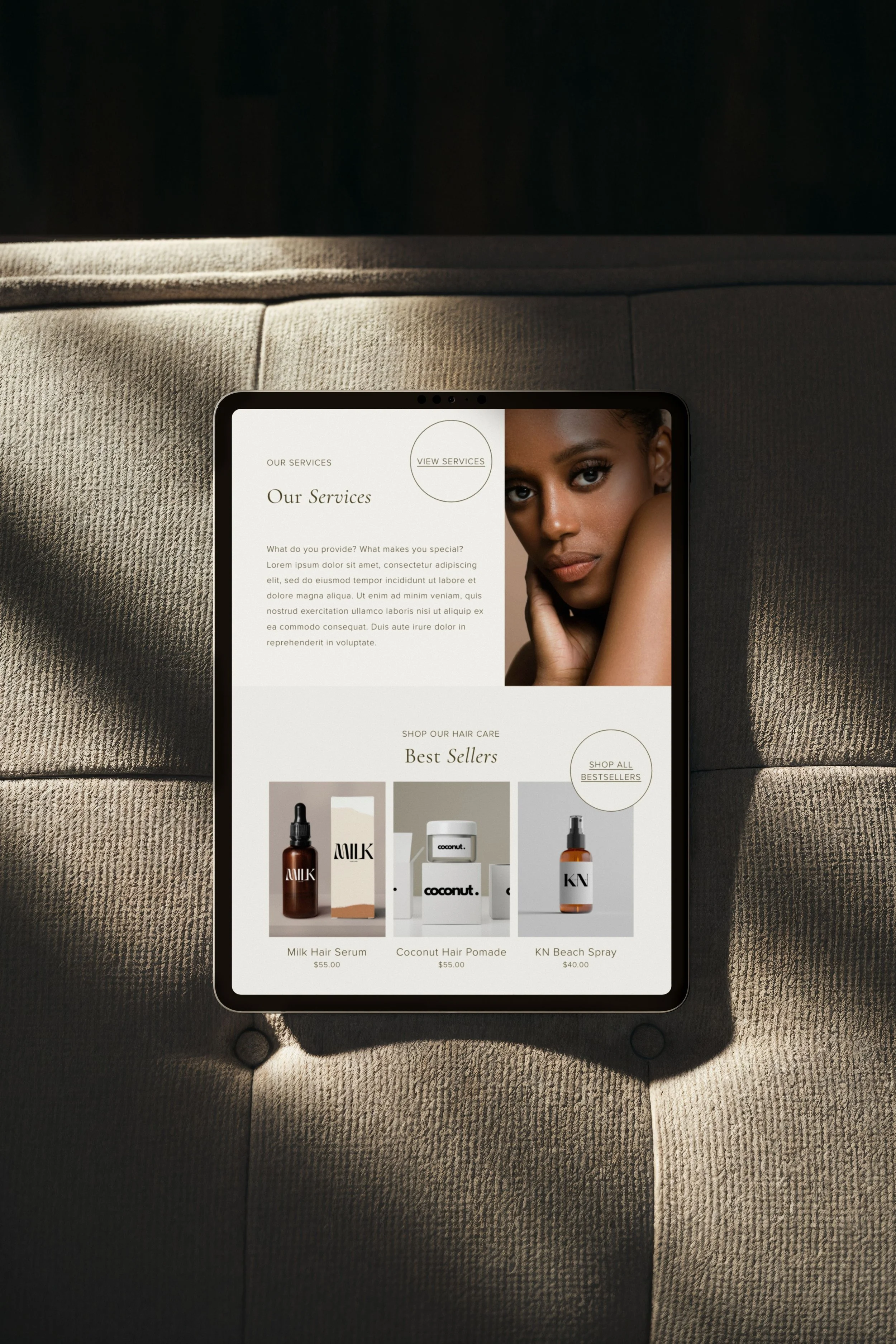
While the Esi template leads with your visual work, the Vault template is built around a clean, minimalist aesthetic with a streamlined sales flow. If your priority is getting clients to book a specific service or purchase from your shop, Vault is designed with that goal in mind. The calls to action throughout the site are more service and sales focused, guiding visitors toward taking action rather than browsing.
The Vault template includes everything from the checklist above:
✓ Built on Squarespace 7.1 Fluid Engine
✓ Portfolio and gallery section
✓ Integrated online shop
✓ Clear booking from every page
✓ Guided content prompts
✓ Mobile and tablet optimized
✓ Branded mobile info page
✓ Styled blog
✓ About page and individual stylist bio pages
✓ Dedicated service sales pages
✓ Client testimonials section
Like the Esi template, Vault is custom coded throughout, with a signature circular button detail that adds a unique touch while keeping the overall look clean and minimal. And worth knowing for both templates: every custom coded element can be deactivated and reverted to the standard Squarespace default without affecting the rest of the template.
A homepage built for quick decisions
The Vault homepage is designed to help new visitors get to know your brand and book an appointment with as little friction as possible. The hero section features two image panels that communicate your aesthetic right away, with custom coded font sizing that keeps the design refined while still speaking to search engines in an SEO friendly way.
A quick about section gives visitors an overview of your story with the option to go deeper, followed by a services section that previews what you offer and invites them to explore the full menu. The shop section follows with a prominently displayed bestsellers lineup, and a mini portfolio gallery rounds out the homepage so visitors can take in a range of your work without ever leaving the page.
A portfolio that lets your work speak for itself
The Vault portfolio is sleek and minimal, designed to organize your work into distinct galleries by service. Testimonials sit right on the main portfolio page, so new visitors get social proof alongside the visual evidence that your clients leave happy.
An about page that covers all the bases
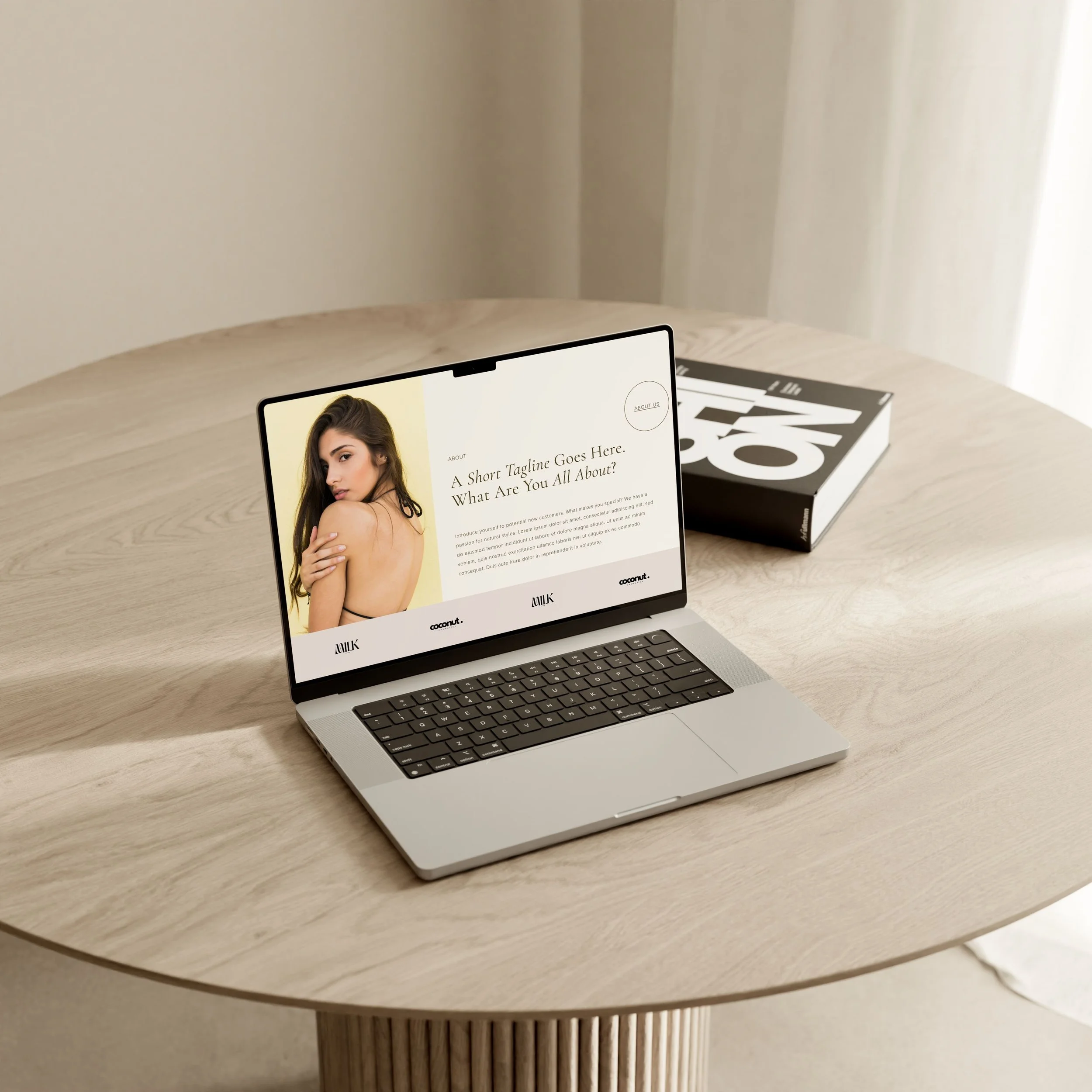
The Vault about page gives you space to speak to both the salon as a whole and the people behind it. You can introduce the salon, share the founder's story, and present your team in a way that makes it easy for visitors to find the right stylist. Stylist listings on this page include visible pricing levels and years of experience, so potential clients can orient themselves before clicking through to individual bios.
Stylist bio pages with a mini portfolio
One of my favorite features in the Vault template is the mini portfolio section built into each stylist bio page. It lets every stylist show off their favorite work right alongside their introduction, so potential clients can get a feel for their aesthetic quickly and know within seconds whether they've found their person.
Two dedicated sales pages
Like the Esi template, Vault includes two dedicated sales pages for your highest value services. These pages give you space to educate potential clients, set expectations, and help them feel confident booking a consultation or committing to a bigger service. Vault includes one short form and one long form sales page so you can match the format to the service. And if you have more than two high value services, both page templates can be duplicated to add as many as you need.
A shop and blog that match the rest of your site
Just like with the Esi template, the Vault shop and blog pages have been custom coded to remove the inconsistencies that Squarespace doesn't let you fix in the standard editor. The result is a level of polish across every page of your site that a standard template simply can't give you.
A booking page that sets expectations from the start
The booking page is designed to make the process as smooth as possible for both you and your clients. You can add your booking link either as a button or embed it directly onto the page, whichever works best with the booking platform you already use. The page also includes a dedicated policies section where your booking policy, cancellation policy, and payment policy are clearly displayed right where clients will see them before they confirm an appointment. It's a small detail that saves a lot of back and forth.
See it for yourself
Click below to explore the Vault template demo site. Password is Demo.
A quick note on booking setup
Depending on where you are in your business, you might be booking clients through calls and texts, or you might be using a dedicated booking platform. Either way, both methods work seamlessly with any of our Squarespace templates, and I find most articles gloss over the practical details of how, so let me break it down quickly.
The simplest and most budget friendly option is to display a book by phone button. We recommend keeping this option on your site regardless of which booking method you use, as it gives clients an easy fallback if they prefer a more personal touch.
If you use a dedicated booking platform, any Squarespace template, premium or free, will work with tools like Acuity Scheduling, Fresha, Vagaro, GlossGenius, and Square Appointments. You can either embed your booking tool directly onto the page (there is a dedicated space on the template for it) or link out to it with a simple button. There's no need to switch platforms just because your website is on Squarespace. Your templates are designed to work with whatever booking solution you already have in place.
Which template is right for you?
Still deciding between the two? Here's a simple way to think about it.
Your brand leads with your visual work and your portfolio is your biggest selling tool
You want clients to browse your work and fall in love before they ever think about booking
You're a solo stylist or salon who wants an editorial, portfolio-forward aesthetic
Showcasing individual stylist personalities and work is a priority for your business
You want a clean, minimal site that guides visitors straight toward booking or buying
Your service offering is clear and you want a dedicated sales page to do the converting
Selling retail products is a significant part of your business model
You prefer a streamlined, sales-focused flow over a portfolio-first experience
Still not sure?
Ask yourself this: when a new client lands on your homepage, what's the one thing you most want them to do first? If your answer is browse my work, Esi is your template. If your answer is book an appointment or shop my products, go with Vault.
Both templates are built on the same award-winning design foundation and include everything on the checklist from Section 3 and the same features. The difference is really about which direction you want to lead with.
Frequently Asked Questions
What is the best Squarespace template for a hair salon? Honestly, it depends on what your salon needs most. If you want a site that leads with your portfolio and lets your work do the talking, the Kristine Esi template was built for exactly that. If you'd rather have a clean, minimal site that guides visitors straight toward booking or shopping, the Vault Salon template is your best bet. Both are built on Squarespace 7.1 Fluid Engine, include guided content prompts, and have everything a salon website needs already built in. You really can't go wrong with either one, it just comes down to which direction you want to lead with.
Do I need to know how to code to use a Squarespace salon template? Not at all. Both the Esi and Vault templates are built so that everything you need to customize can be done right inside the native Squarespace editor, no coding required. You can swap out your images, update your fonts and colors, and edit your content without touching a single line of code. The custom coded elements are already built in and doing their job in the background. If you ever want to remove any of them, that can be done without affecting the rest of the template.
Can I add online booking to my Squarespace salon website? Yes, and you have a few options depending on what works best for your business. Any of our Squarespace templates work with dedicated booking platforms like Acuity Scheduling, Fresha, Vagaro, GlossGenius, and Square Appointments. You can either embed your booking tool directly onto the page or link out to it with a button. There's no need to switch platforms just because your website is on Squarespace. If you're just starting out and booking through calls and texts, that works too. We recommend keeping a book by phone option on your site regardless of which booking method you use.
What's the difference between a free Squarespace template and a premium one for salons? The biggest difference is time and visual distinctiveness. Free Squarespace templates are a totally valid starting point, but because they're available to everyone, thousands of other sites are using the same design. Getting one to feel unique to your brand takes a significant amount of customization work, and there are always areas that need custom coding to feel fully polished. A premium template like Esi or Vault gives you a distinct visual identity right out of the box, with custom coded design elements, guided content prompts, and a page structure that's been built specifically for salons. It's the difference between starting from scratch and starting from a really strong foundation.
Can I sell hair products on my Squarespace salon website? Yes, and both the Esi and Vault templates have a designed shop section built right in. A lot of salon templates treat the shop as an afterthought, which means the styling doesn't quite match the rest of the site. Both of our templates have been custom coded so the shop section feels cohesive with the overall design, no extra tweaking required. You can sell retail products, gift cards, or even digital products like style guides. If you only want to offer local pickup rather than shipping, that's easy to set up too. It's a great way to create an additional revenue stream without a lot of extra work.
How much does a Squarespace salon website cost to build and run? There are a few costs to factor in. The template itself is CA$295, which is a one time purchase. From there you'll need a Squarespace subscription, which starts at around $23 USD per month when billed annually for a basic site, or $28 USD per month if you want to add a shop. If you're using a dedicated booking platform like Acuity or Vagaro, that's a separate subscription on top of your Squarespace plan. Beyond that, the main investment is your time to set everything up and get your content in place. Compared to a fully custom website, which can start at $8,000 or more, a premium template is a really accessible way to get a professionally designed site up and running without a huge upfront investment.
Can my Squarespace template include a portfolio to show before and after photos? Yes, and this is actually one of the things that sets the Esi and Vault templates apart from a lot of other salon templates on the market. Both templates include a custom coded portfolio section designed specifically to showcase your work in a way that stops visitors from scrolling past. The Esi template takes it a step further with an interactive portfolio selection page and individual gallery pages with a hover popup that lets you add descriptions to each image. This is a great place to give clients the language they need to describe what they want, like "a buttery blonde with subtle toffee lowlights," which helps them feel confident before they ever book. Before and after photos work beautifully in both templates and are honestly one of the most powerful tools you have for converting a new visitor into a booking.
Ready to launch a salon website you're actually proud of?
Both the Esi and Vault templates were designed from the ground up for salons and stylists, not pieced together from a generic layout. Every page, every section, and every content prompt was built with your business in mind so that you know exactly what to write, what to include, and how to present your work in a way that attracts the clients you actually want.
Browse both templates and find your fit at heathermudrydesign.com/shop-premium-squarespace-templates